Mentor App
Project Overview
A tutoring application “Mentor” aims to assist students with their studies. At the same time, the app motivates students who has a deep understanding of a subject with other who could use some help.
The problem
Difficulty in the use of in-app chat for sending homework
Online teachers typically use other services to give schoolwork to students in a fairly boring manner. Less knowledge of the issue and a time-consuming experience are the effects of this for both parties.
Marking homework via in-app chat
Due to the limited options for marking assignments, document annotations, online tutors find it challenging to assign grades to their students via other in- app chat platform and find it additional work to remark on each student's answers.
Reduced usage of the in-app chat feature and overall app time
Tutors and students face difficulties to connect and communicate with each other. students feels helpless when doubts are not solved in a particular time frame.
The Solution
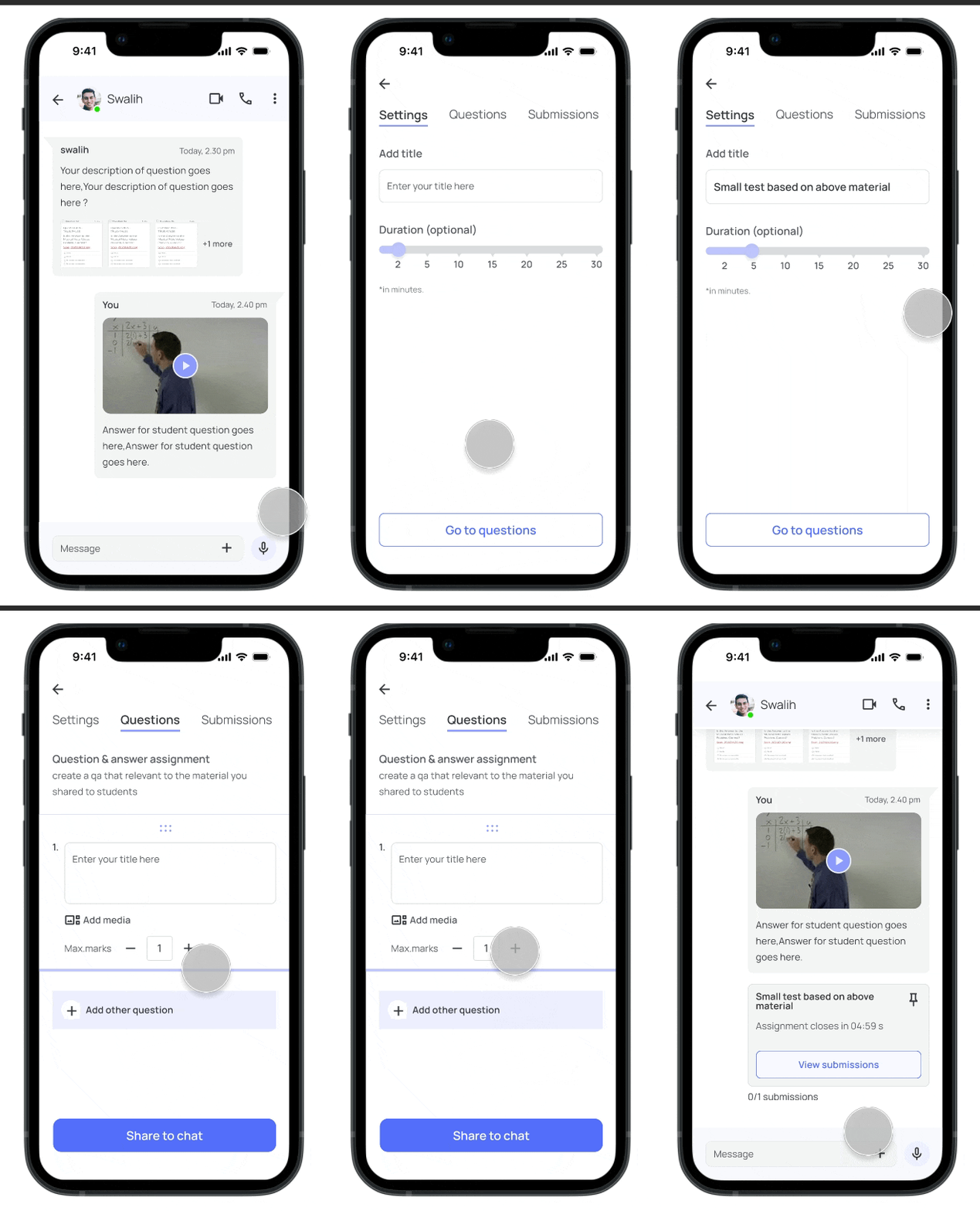
Increasing the engagement of sending homework
Creating engaging homework's like quizzes, polls, Q&A and be send via in-app chat which can ultimately increase the knowledge of the subject and can help students to grasp the understanding of the subject quickly. In order to sustain motivation, students are awarded points.
Marking homework with ease
Homework can be simply marked by using a "mark counter" to provide the marks and offering a quick remark for any questions that want better.
In case of other files like PDF, images format our platform provides different annotating tools for marking the homework.

Community driven platform
A community like feature can facilitate connections amongst students and enable them to assist those in need.
Competitor Analysis
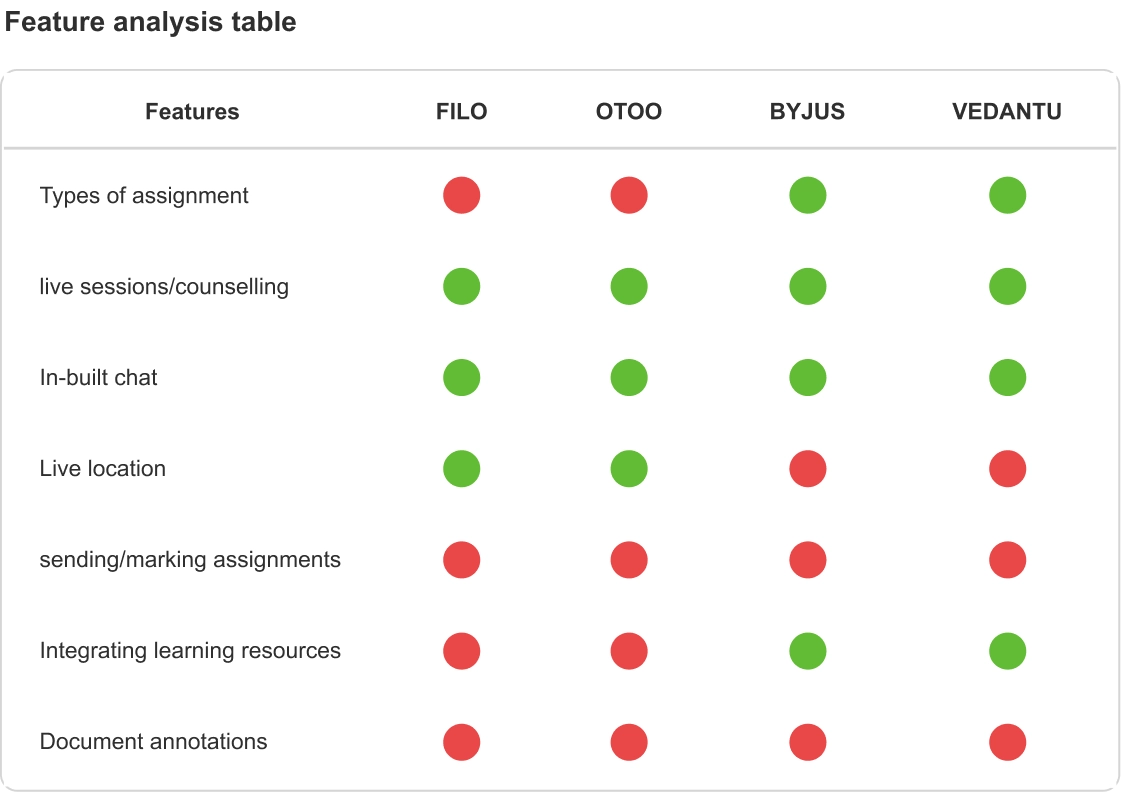
We went through similar apps for both tutor and students to identify user pain points in existing application. we looked through the reviews for apps in plays tore and noticed the following gaps-
- Less availability of students as well as more waiting time for a tutor to connect to students and vice versa
- Students and tutors need to pay for basic requirements i.e. students needs to pay for 1:1 chat with tutor and tutors needs to earn some credits to connect with students.
- Tutors have limited chat time with students due to this most of the tutors don't use in-app chat option provided by the platform.
User Interview
We had a 1:1 chat conversion with online teachers that we discovered on Reddit and Facebook communities. These tutors have been educating students online for over five years.
As well as we have done secondary research to validate our insights and user problems.
Some of the questions we asked online tutors to gather necessary information:
- Do you teach online or offline?
- How you find students for online tutoring? using any apps to find students?
- How you send and manage assignments to students?
- Have you faced any difficulties in sending those assignments to students?
- How you send assignments to online students and marking their assignments?
Interview Insight #1
Tutors have found students via Facebook or friends, family suggested them. Don't use specific app to find students to tutor them.
Interview Insight #2
Tutors use several platforms, such as Google Classroom, Google Meet for online tutoring, and Gmail and WhatsApp for communicating with students and sending homework.
Interview Insight #3
Tutors tried using tutoring apps/websites but found time consuming and not able to create profit using apps.
User persona
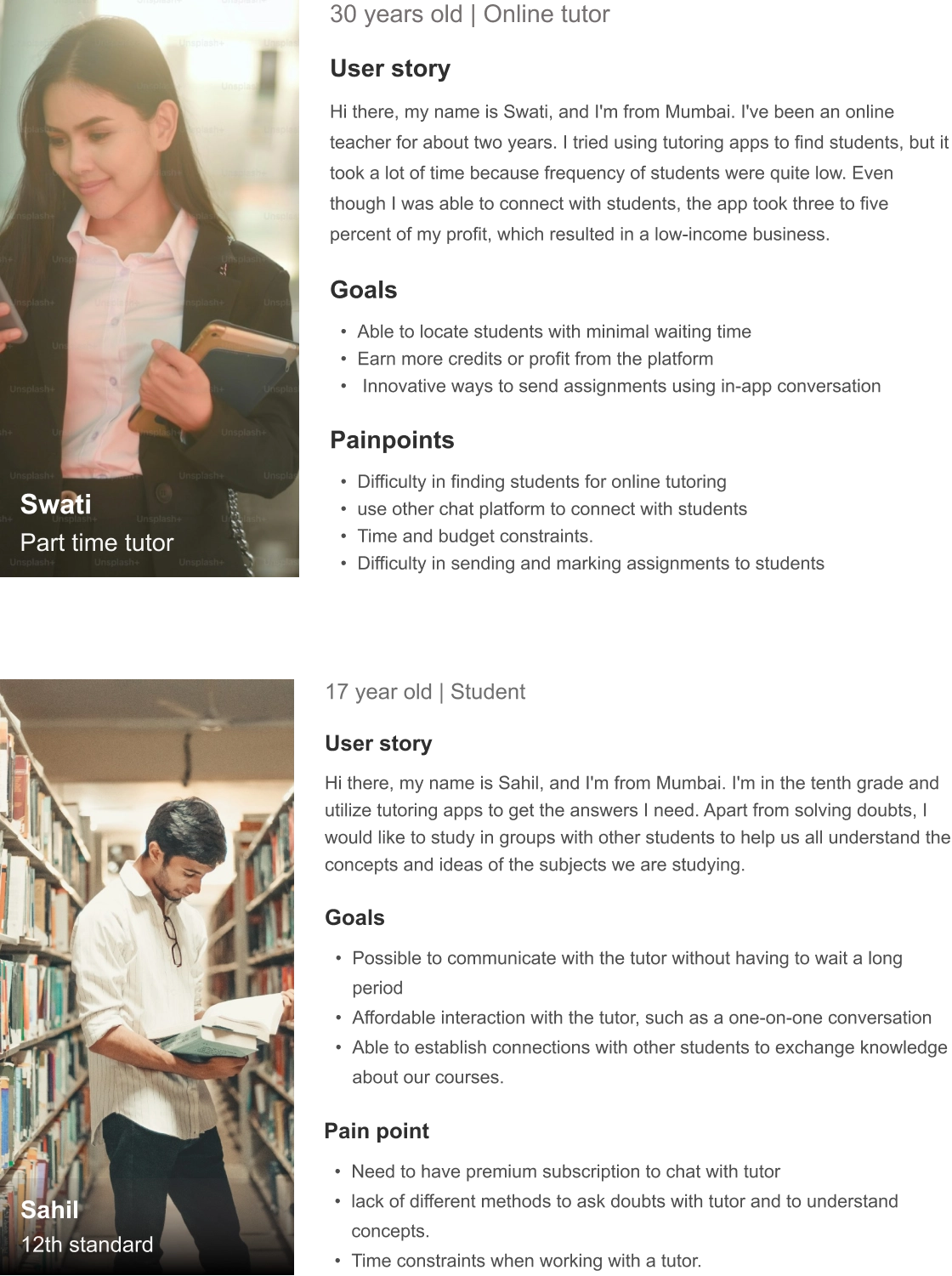
We created two user personas, a tutor and a student based on our research.
Task Flow
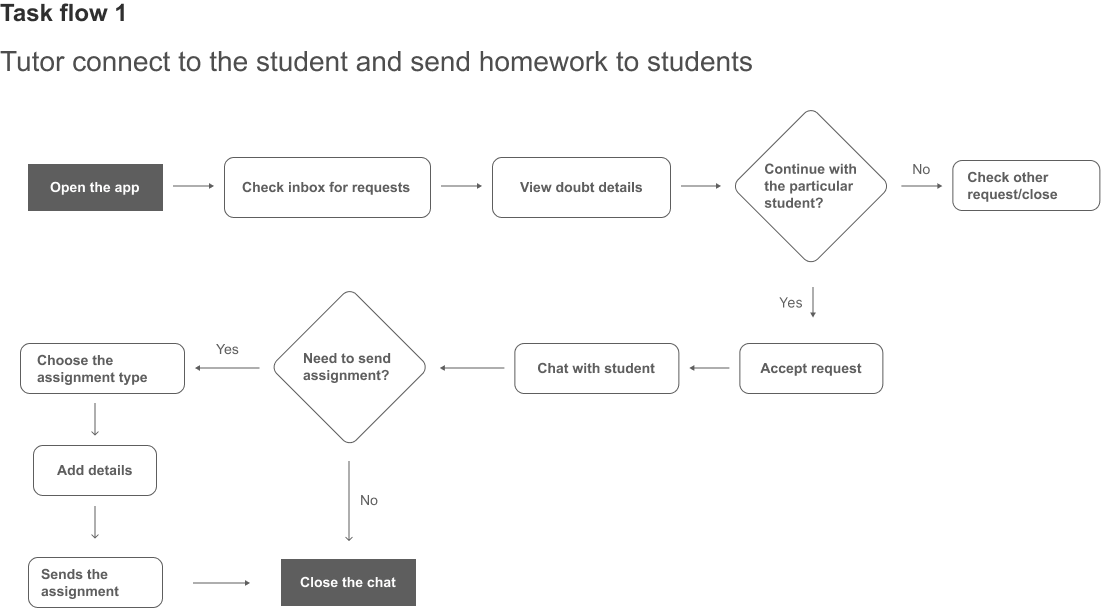
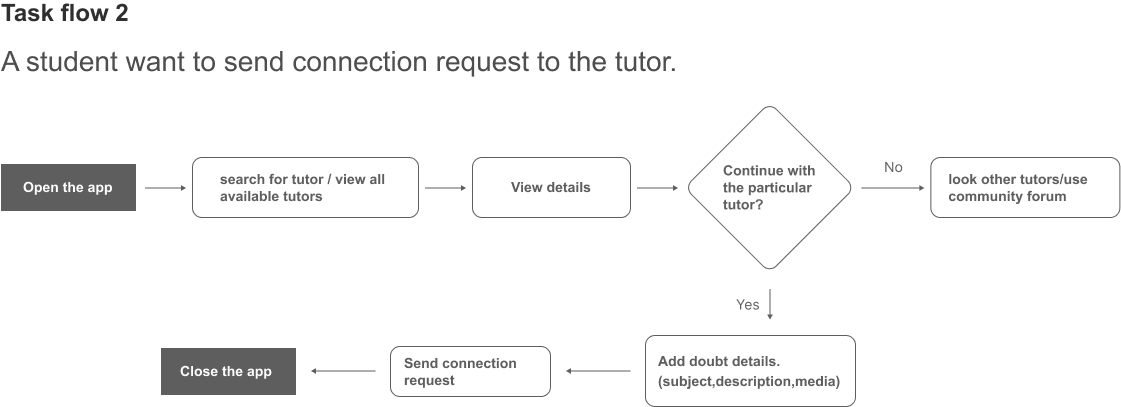
We decided not to focus on the entire user flow here but instead focus on task flow, so we created some task flows based on data and user stories. Here are the 2 main task flows.
Lo-fi wireframes
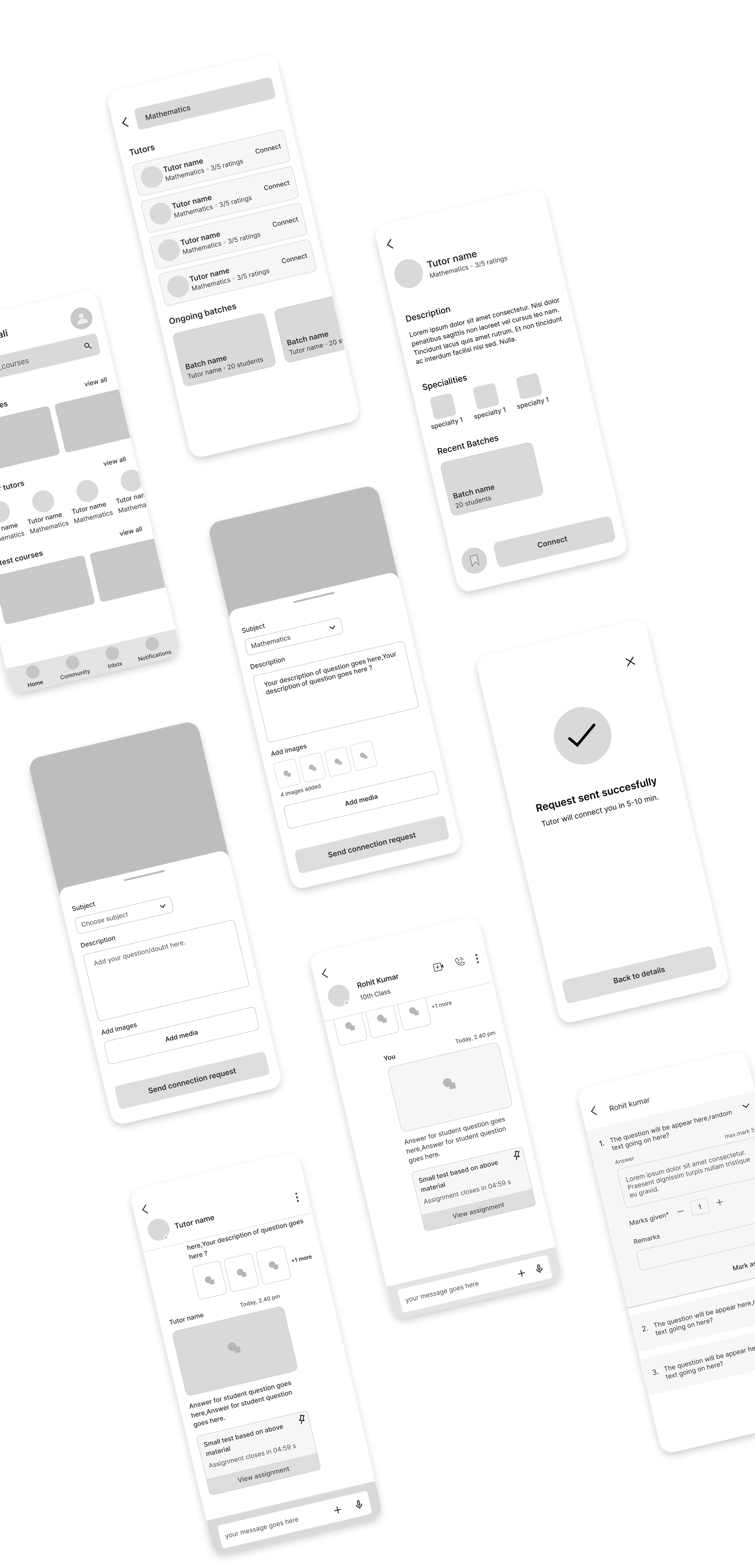
We created low fidelity wireframes and divided those wireframes into 5 tasks as well as prototyped them.
Lo-fi wireframes + prototype + Evaluation
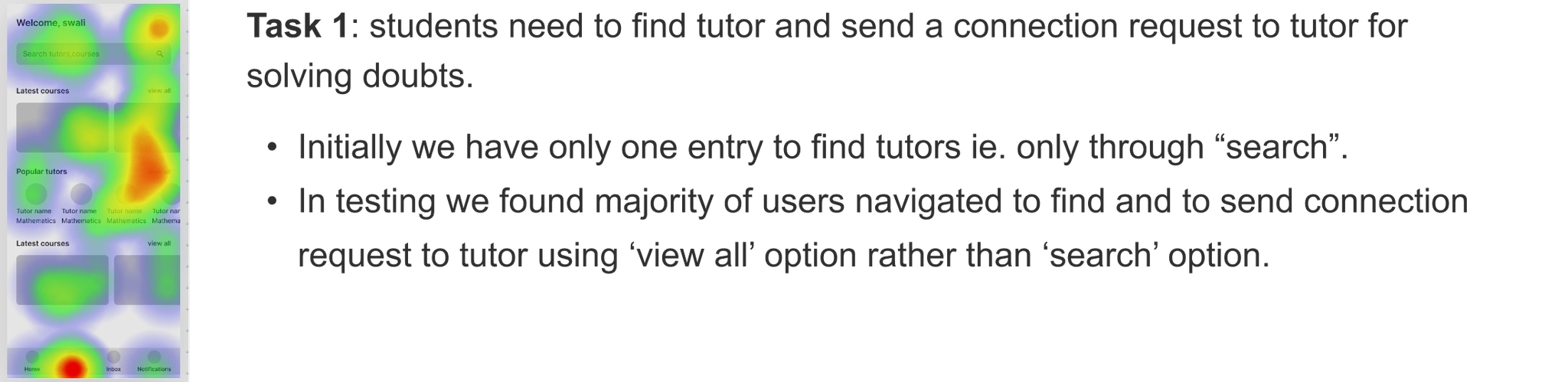
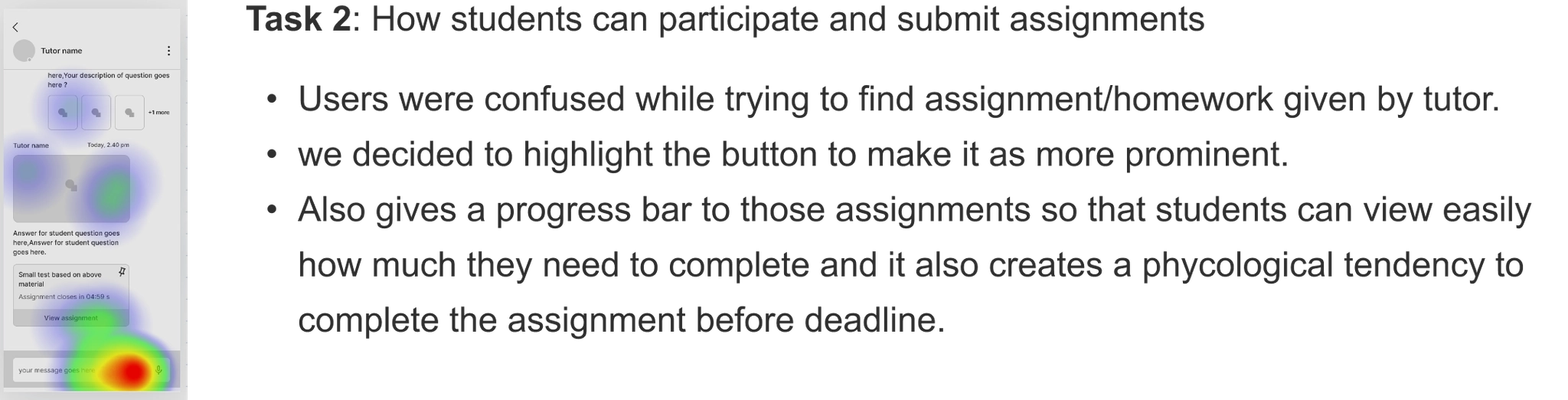
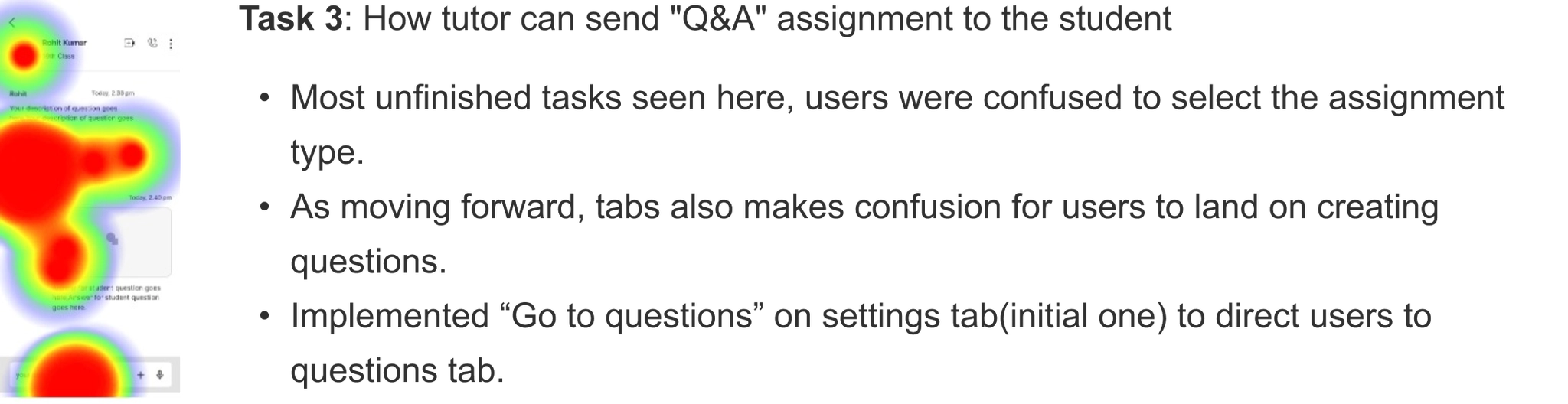
To evaluate these prototype, we conducted remote unmoderated usability testing using 'Maze' and we got 15 responses from these tests. We analyzed those responses using heat maps and solved those usability issues then came to following conclusion for our final UI designs:-
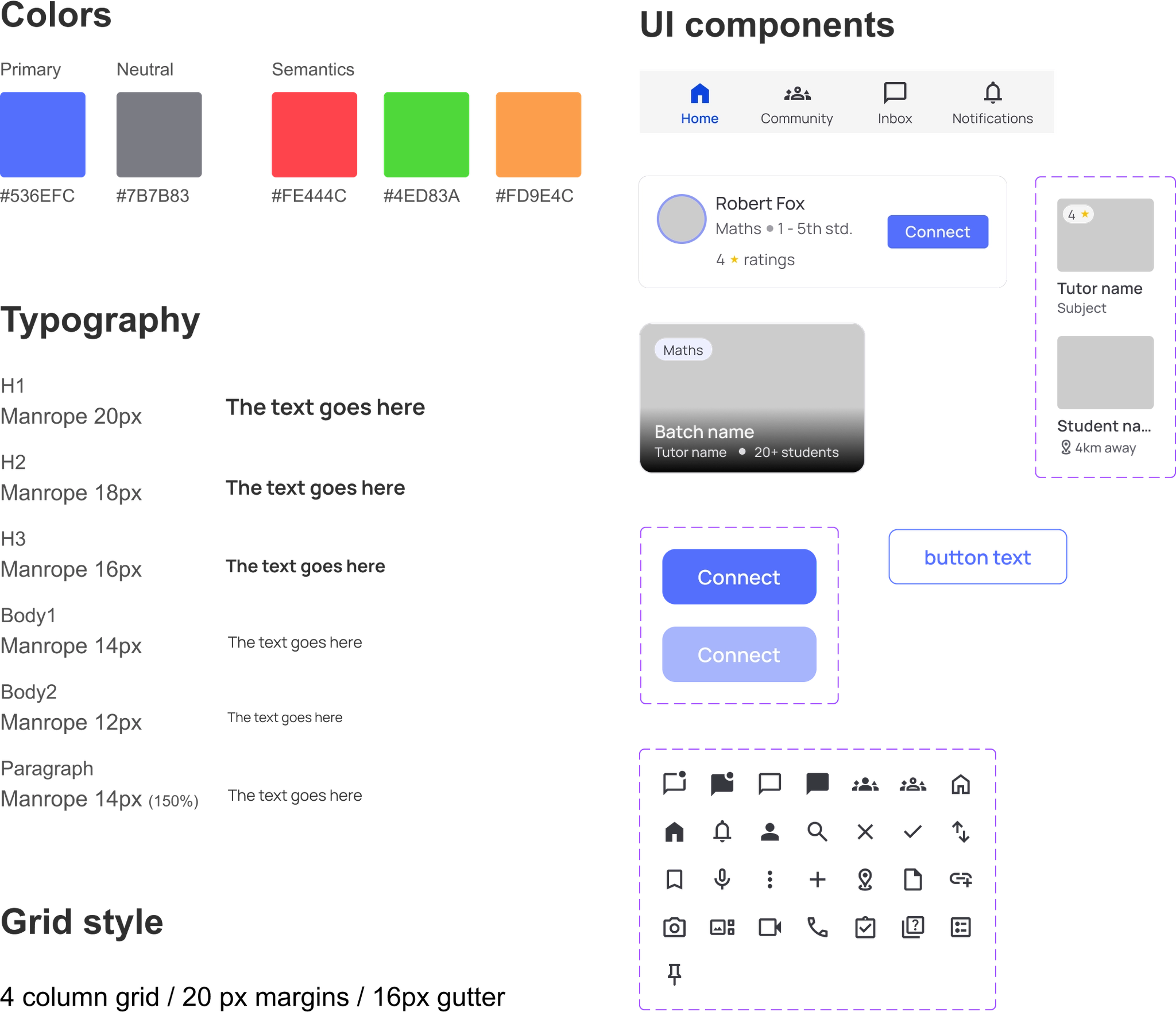
Style Guide
Final UI
Finding tutors + initial point of interaction
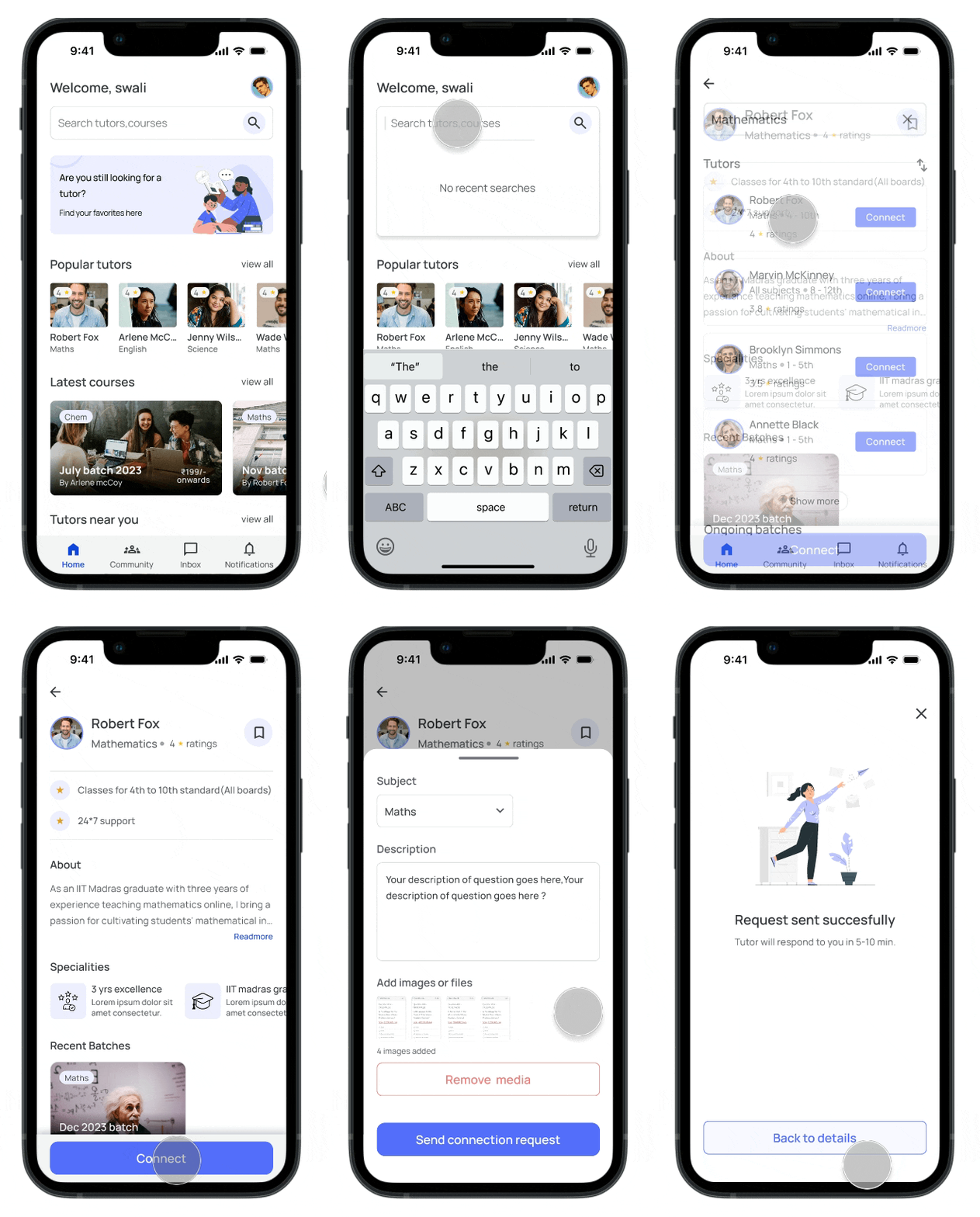
Students have two options for finding tutors: they can use the app's suggestions or search for tutors. Students can then send a connection request to the tutor by filling out all the necessary information and stating their reason for connecting. The in-app chat feature allows students and tutors to communicate with one another as a first point of contact.
Hassle free way to approve student's requests
The 'Inbox' option makes it easier for tutors to view and accept students requests and can communicate with each other via chat.
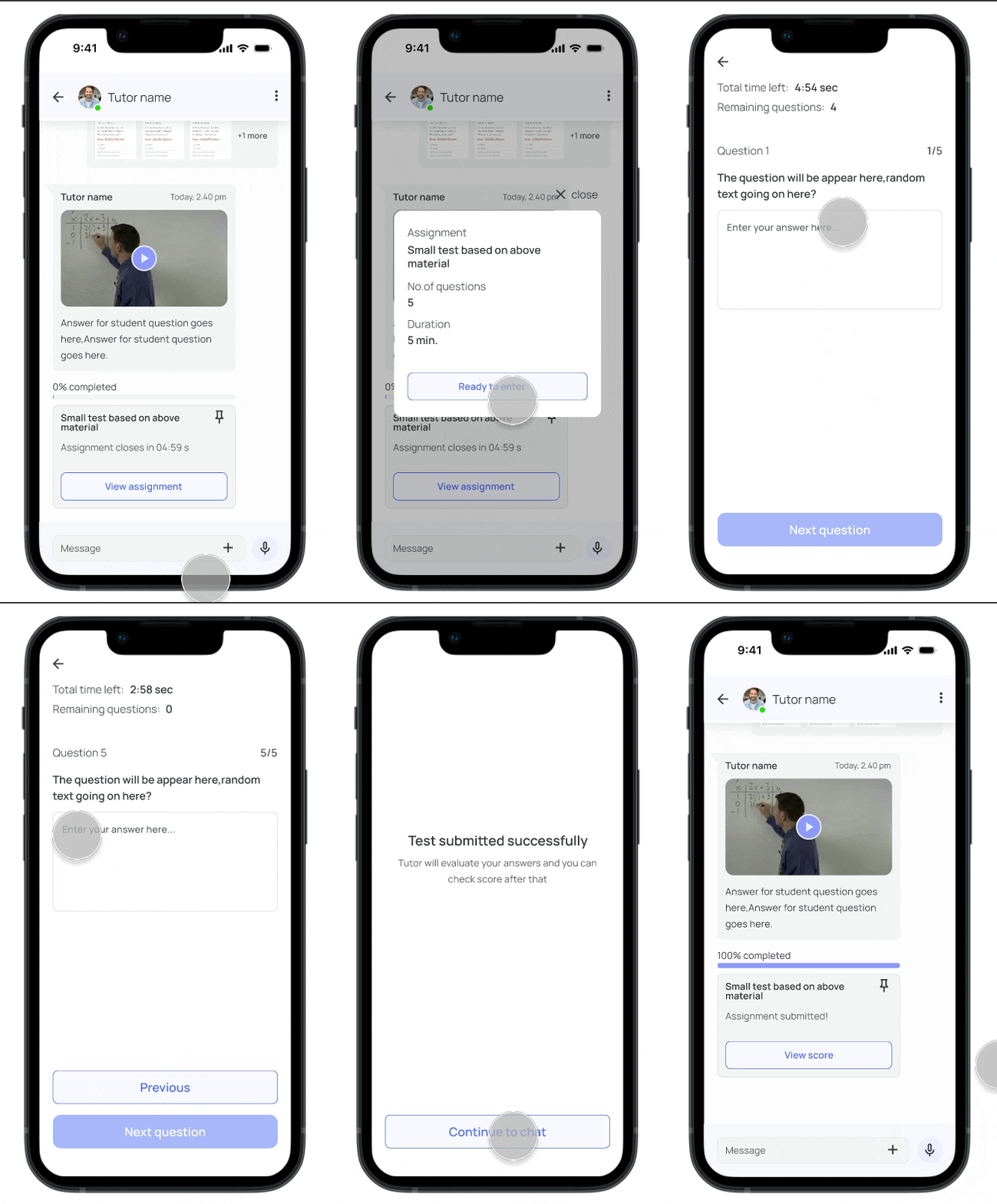
Assignment types
Tutors can give multiple options of homework to students rather than a monotonous way of homework. tutors can use 'Q&A' option which acts as a template for question and answers instead of creating new document for every assignment.
Evaluation
Assignment evaluation can be completed in a way that allows tutors to provide feedback to students without requiring them to open or download additional files.
Keeping up-to-date info
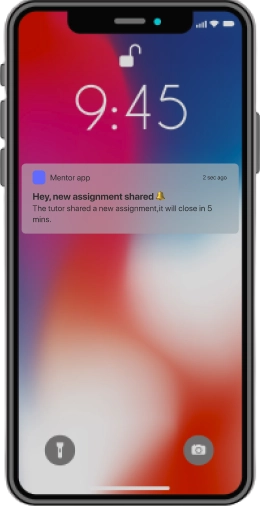
Students were noticed about latest assignment and evaluation information up to date by push notifications.
Reflection + Next steps
This project taught us the importance of user research and how testing of designs can play a significant role to come up with final product, how we converted the collected data into designing of screens.
Below are the outlined potential next steps for this project:
- Additional understanding of existing apps and understand user's problem
- creating iterations with prototypes as well as testing of those prototypes
- Proceed to gather user feedback throughout the design process.