Designing Intuitive Interfaces from Initial Concepts
Sketch #1
My Design process
- Added an address area because asking for the user's address is the most frequent process for each e-commerce system. Additionally, making the process similar to other e-commerce systems allows users to make decisions faster rather than feeling lost in the process.
- Added the address bar to the top so that when the user scrolls all the way down, the search bar is at the top and the user does not have to scroll all the way up to search the items.
- separated the seed category into different portions, helping shoppers to make an informed decision.
- Added a simple bottom navigation bar with only three elements making it simple and easy to use.
- A slideshow is an interactive element that provides an overview of the products featured in the app
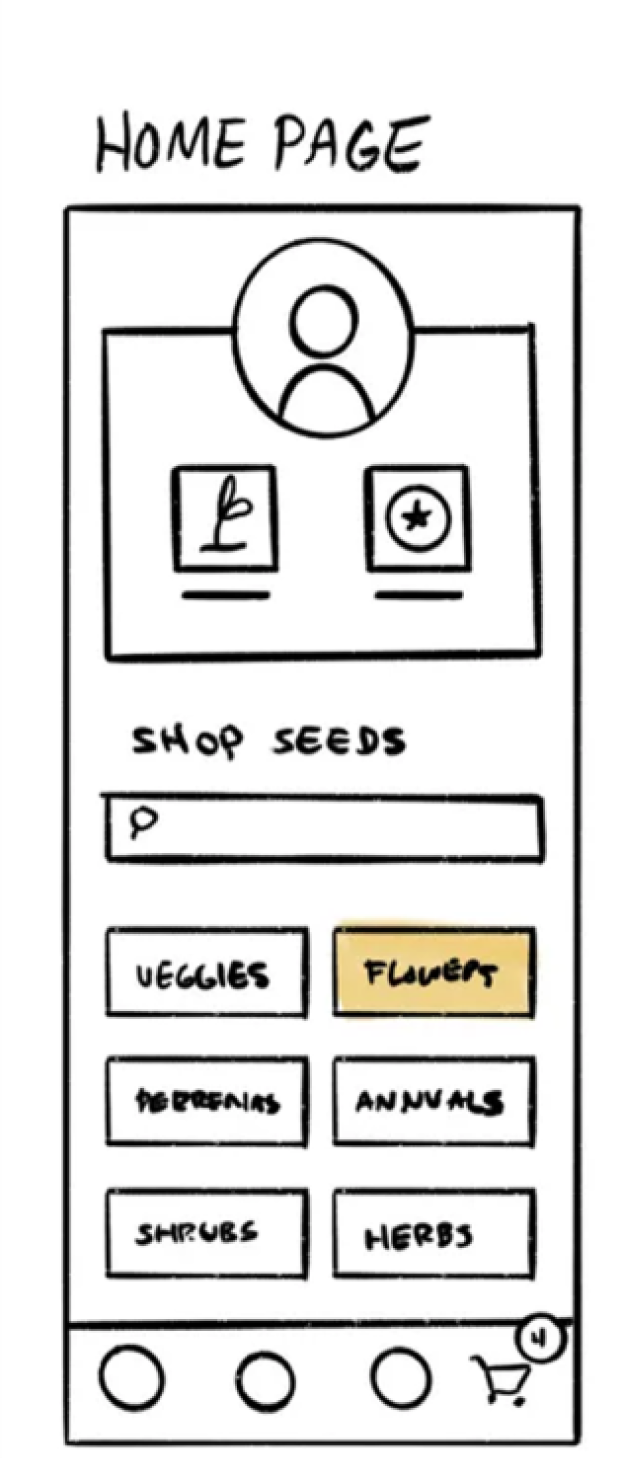
Low-fidelity wireframe created to explore layout structure and content hierarchy.
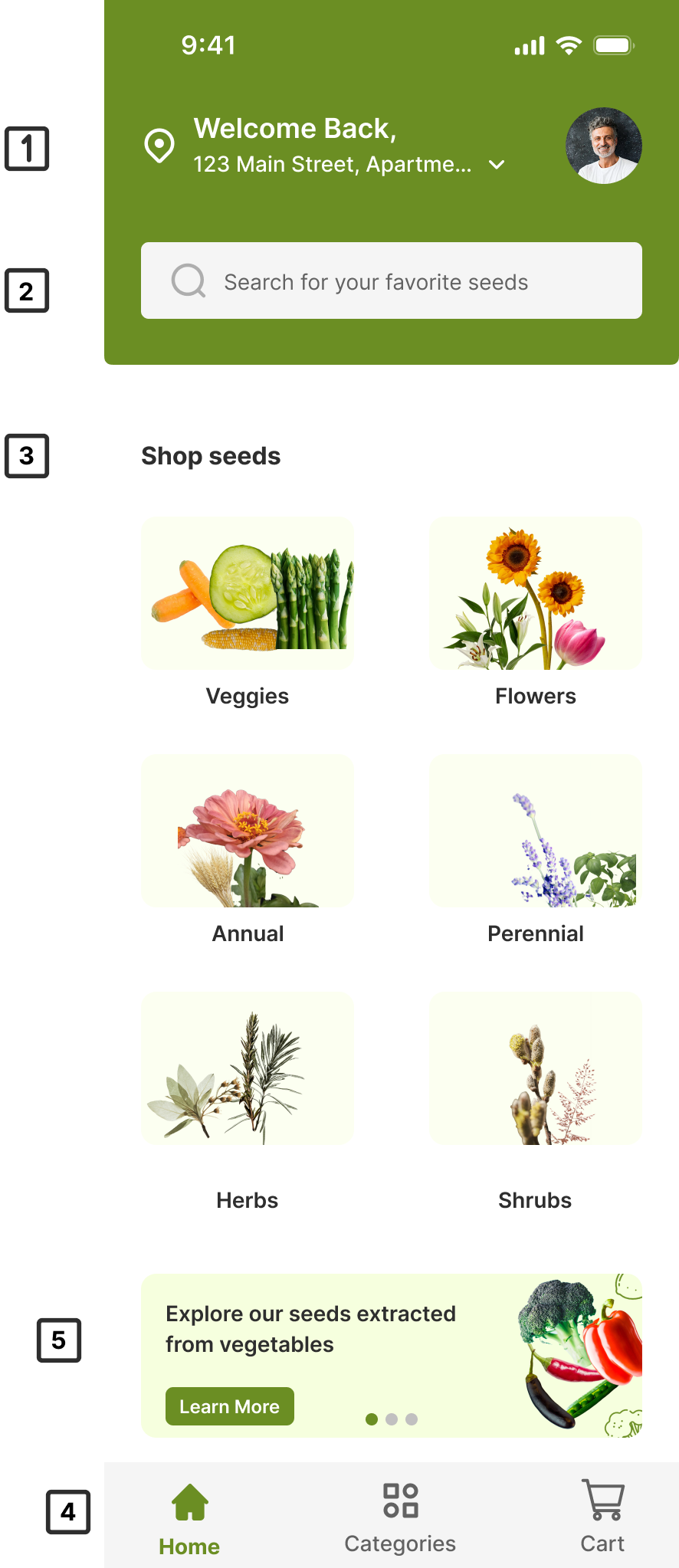
High-fidelity interface designed with improved visual hierarchy, spacing, and usability.
Sketch #2
My Design process
- Added different range of flowers with minimal description of the product.
- Added filter i.e. color and type as a drop down element from which user can select various types of flower and color as well. This design decision save an extra step or click and time.
- Added search functionality to narrow down the results from various colors and types of flowers
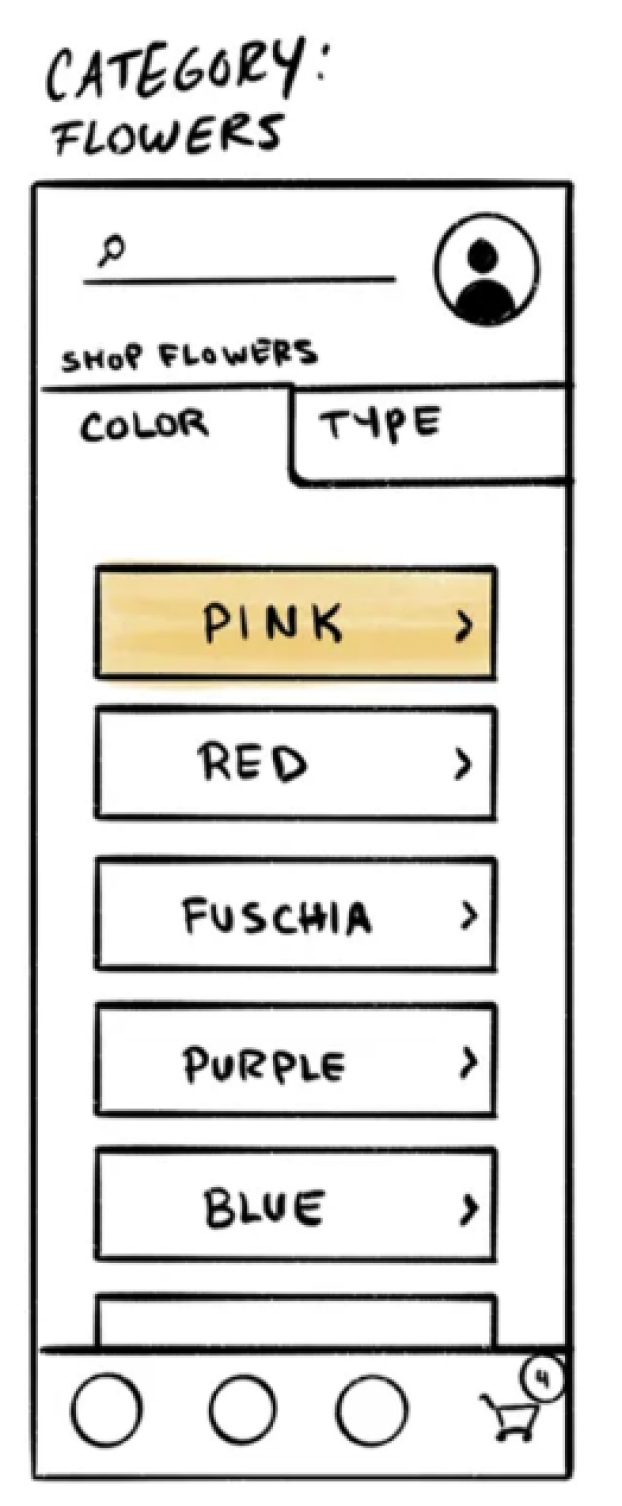
Low-fidelity wireframe created to explore layout structure and content hierarchy.
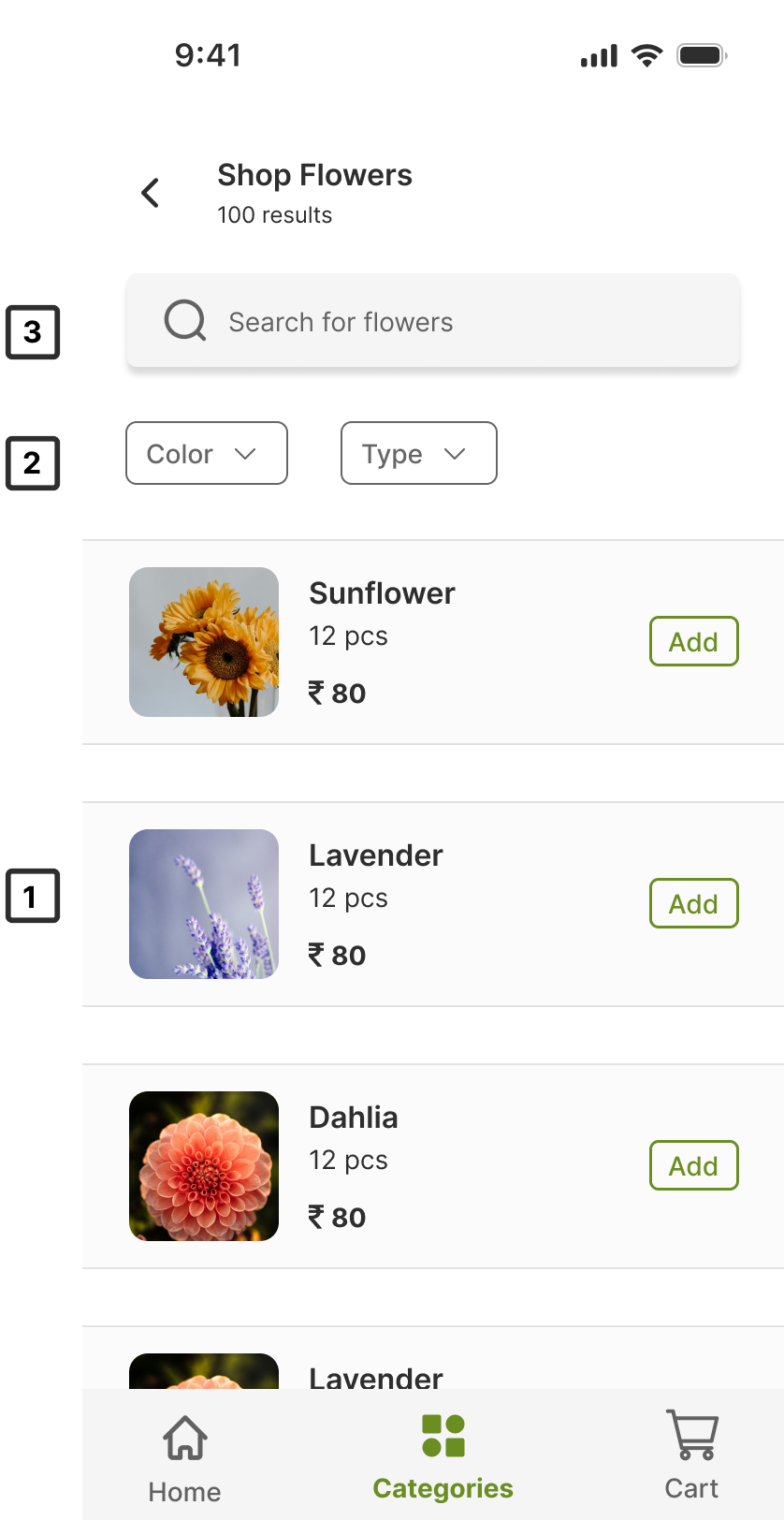
High-fidelity interface designed with improved visual hierarchy, spacing, and usability.
Sketch #3
My Design process:
- Made very similar to the sketch, no major changes are included.
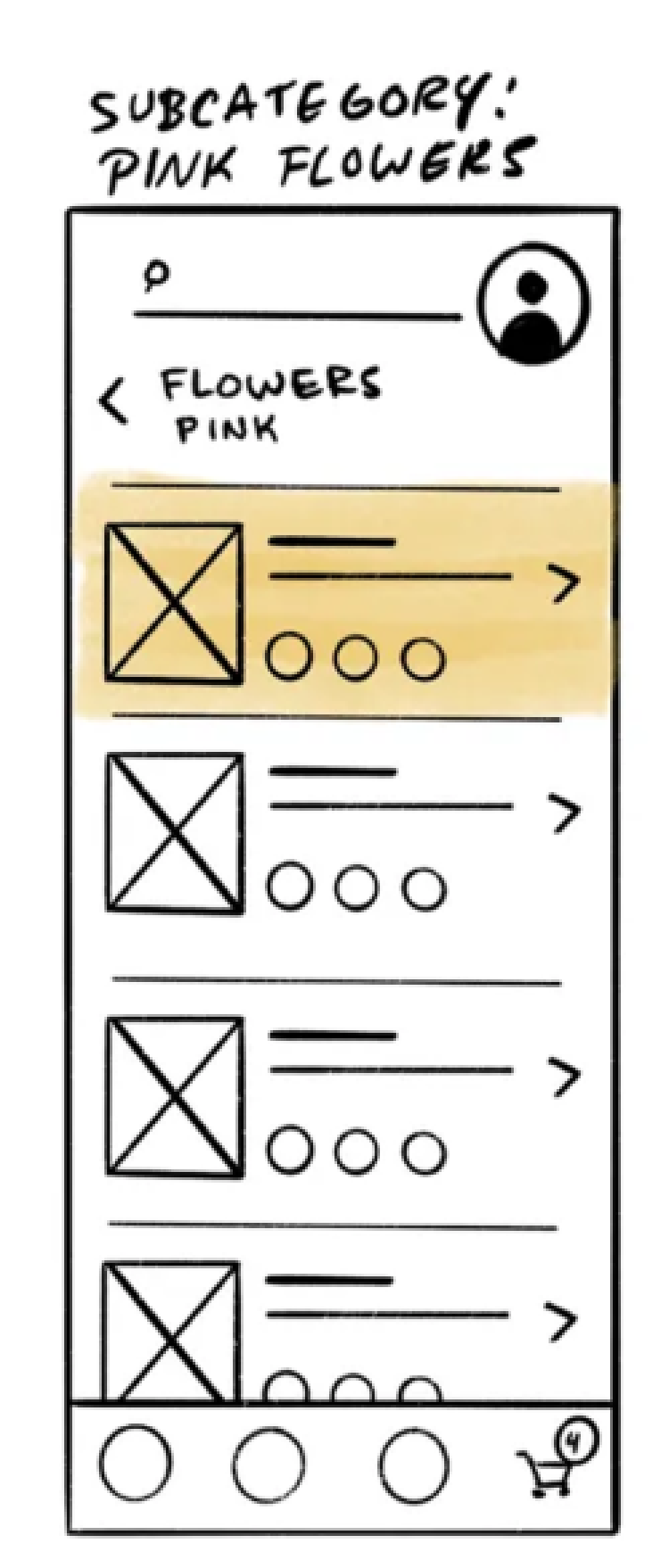
Low-fidelity wireframe created to explore layout structure and content hierarchy.
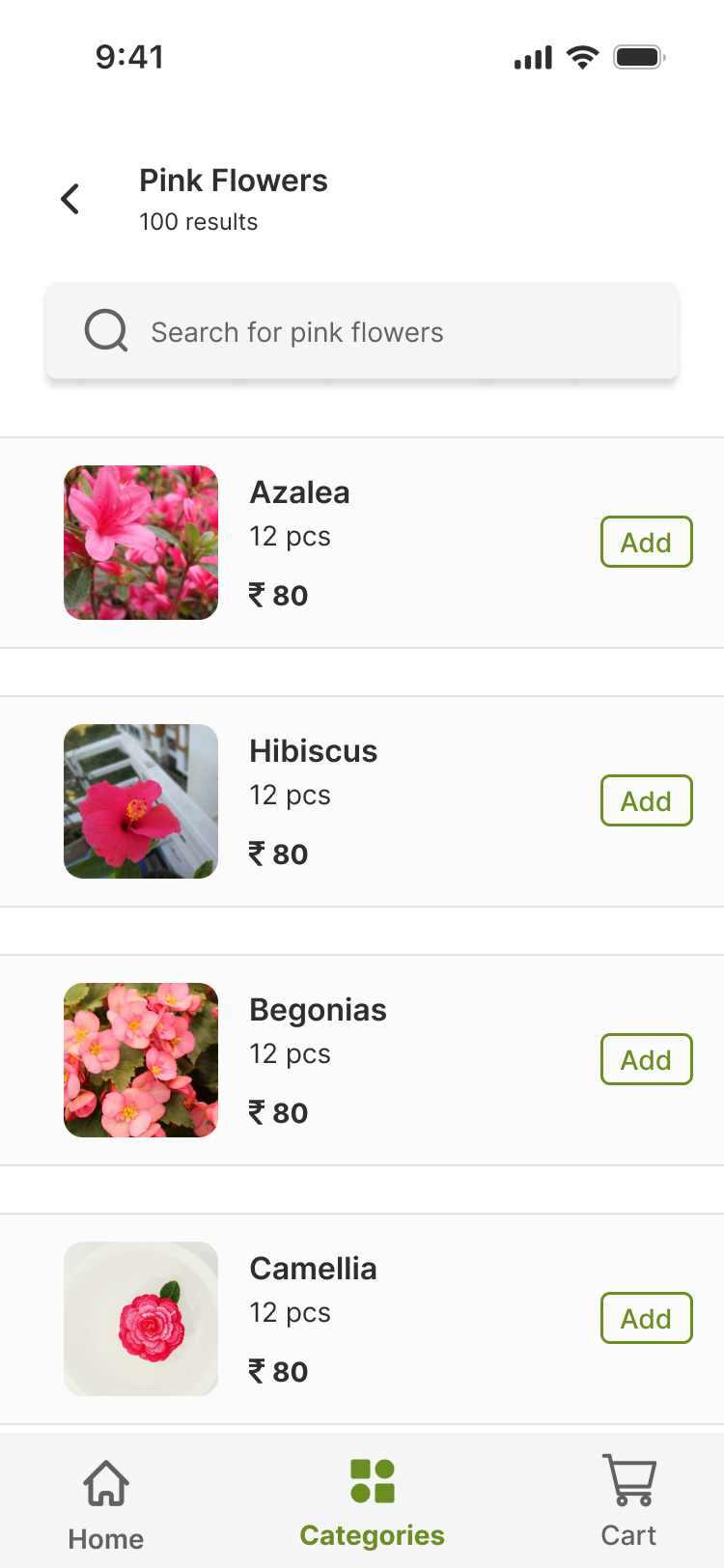
High-fidelity interface designed with improved visual hierarchy, spacing, and usability.
Sketch #4
My Design process
- ‘share’ and ‘favorite’ icons are added at the top of the image to create more balanced hierarchy.
- Added the ‘video’ icon in the image itself and avoided creating a separate page for the video itself as it saves an extra step or click.
- Added a separate element for the 'care' tab, followed by the info tab, which contains concise information about how to care for the plant. The clear and separate sections allow users to skim the information effectively.
- ‘Add to cart’ button added at the bottom of the page to give more consistent look.
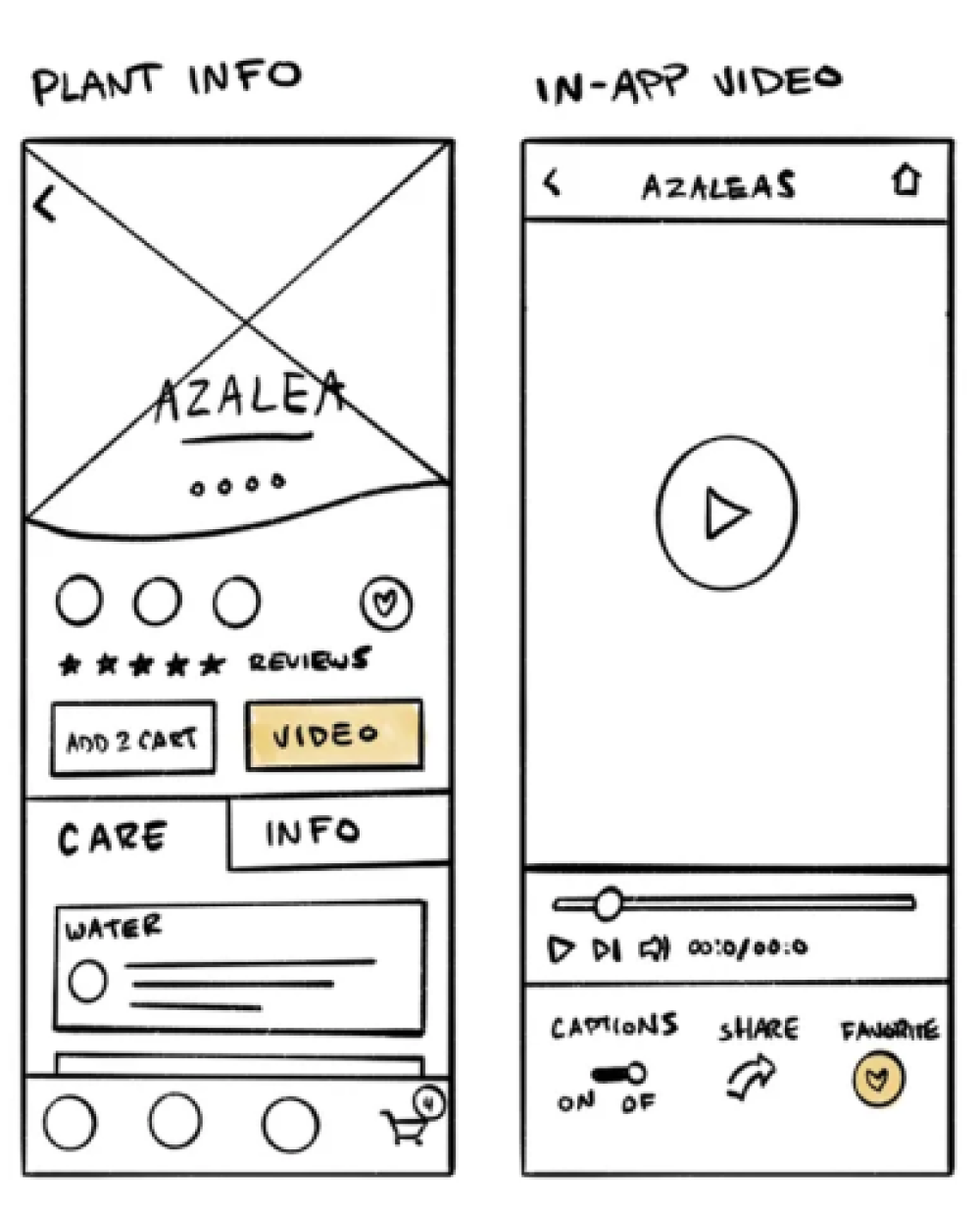
Low-fidelity wireframe created to explore layout structure and content hierarchy.
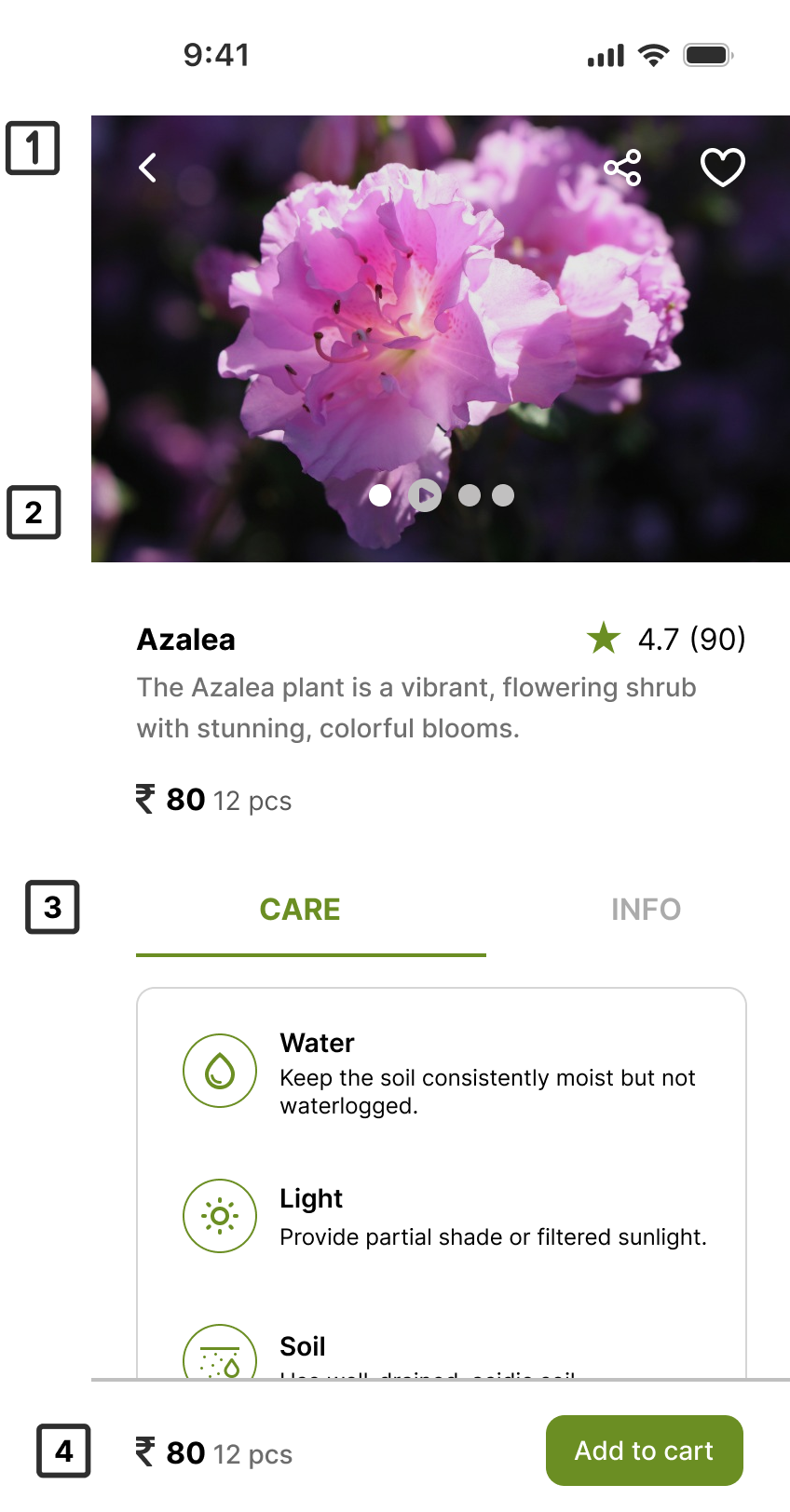
High-fidelity interface designed with improved visual hierarchy, spacing, and usability.